Employee time tracking best Practices: ensuring fairness and accuracy
Introduction
For many, the simple mention of time tracking is enough to trigger discomfort. And rightly so: timesheets are often associated with micromanagement, surveillance, or pointless chores.
But it doesn’t have to be!
If you’re a manager dealing with team members struggling to tracking time, this guide will explain the employee time tracking best practices. So keep reading to learn how organizations build a fair, transparent, and accurate approach to tracking work hours. Let’s dive in!
Why employee time tracking matters (not just to employers!)
Companies introduce time tracking for a variety of reasons: they can be for internal purposes, administrative requirements, or billing needs. Regardless of the purpose, its impact is predominantly felt by employees. But when done right, it can create clarity, protect employees, improve planning, and reduce overwork across teams. For example:
- Accurate reporting of work and workload
Firstly, employees need a reliable way to report what they worked on and for how long. Spreadsheets (which are common time tracking methods in the early stages) quickly fall apart as teams scale or work becomes more complex.
Instead, modern time tracking allows employees to easily record work across projects, tasks, or clients, in the office or remotely, providing context for their daily work.
In short, time tracking protects employees when questions arise about priorities, capacity, or deadlines: instead of relying on memory or assumptions, they have a way to document what was done and when.
- Calculating pay, overtime, and billing
In many industries (like consulting, professional services, agencies, IT, legal) tracking work hours directly affects hourly pay and billing. Employees are required to track time to ensure their work is fully accounted for, overtime is fully recognized, and contributions to billable projects are visible and clear.
For employers, accurate time data simplifies the payroll and overtime calculations, as well as client invoicing. For employees, it reduces disputes and ensures fairness.
- Alignment in remote and hybrid teams
In distributed teams, visibility is harder to achieve. Instead of endless emails asking “What’s the status?” or constant Slack messaging, time tracking helps remote teams stay aligned without constant status updates, even when the workforce is scattered across different time zones.
Teams can rely on shared time data to understand progress, workload, and capacity. It can be accessed on the cloud, regardless of location, and managers can check the submissions with online reports and dashboards.
- Personal productivity
Time tracking isn’t just a company tool: it can be a personal productivity asset for users wanting to better use their time and set healthy boundaries. The simple act of recording time increases individual awareness, answering questions like “Where did my time actually go?” and “Which tasks take longer than expected? This helps employees adjust priorities, set boundaries, and generally be more aware of day-to-day productivity.
Despite these benefits, managers and leaders often encounter resistance to work time tracking. So what are the best practices to follow?
Employee time tracking best practices for fairness and accuracy
1. Start by explaining why time tracking is needed
As a manager, you may be struggling with users not tracking their time. Why does that happen? First, you have to understand that resistance to time tracking usually comes from a lack of trust and knowledge. When employees don’t understand the ultimate purpose, tracking feels like busywork, or worse, surveillance.
How would you avoid that?
Best practice: Make the “why” explicit and honest.
- Clarify the purpose upfront. Explain what the organization wants to learn from time tracking: is it better planning, improved estimates, or accurate billing? (Or maybe all of these at the same time!) Talk about real business problems, not vague goals, for example: “We struggle to estimate project timelines accurately” or “We need reliable data to price our work fairly”.
- Set clear expectations. Employees need to know what’s expected from them:
- How often should time be tracked (daily, weekly, monthly, etc);
- What level of detail is required in timesheets (project, phases, tasks, tags, notes…);
- How the data will be used by management;
Frame time tracking as a shared solution to shared problems, not as an evaluation of employee performance.
2. Create a clear time tracking policy document
Put the guidelines described in point #1 in writing. A written time tracking policy will become the single source of truth and reduce misunderstandings, making sure that employees subissions are correct and consistent with the expectations you set.
Best practice: Create a simple, accessible time tracking policy document that explains:
- Why time needs to be tracked;
- What “accurate” time tracking means in practice (and provide examples of how a completed timesheet should look like);
- How often must timesheets be completed or approved by managers;
- Whether notes, tags, or task selection are required;
- Who will be able to see the data, and who’s responsible if issues/questions arise.
Including links to tutorials or internal guides also helps employees feel supported, rather than left to figure things out on their own. Make sure to have the document accessible in places like OneDrive, Dropbox, Notion and similar. Keep it available for new hires, and don’t forget to update it as workflows/business needs evolve.
3. Respect privacy and avoid surveillance
This point is crucial. Privacy concerns are one of the most legitimate objections to time tracking (and they're often tied to laws and regulations you need to aknowledge.
Many employees associate it with invasive monitoring tools that track keystrokes, screenshots, or browser activity. An Express VPN survey revealed that 59% of employees feel anxious or stressed about their employer monitoring their online activity. Privacy and time tracking shouldn’t clash: they can coexist in the right tool.
Best practice: Build time tracking around trust and transparency.
- Be clear about data collectionExplain exactly what is tracked, what is not tracked, who can access the data, and how long it’s stored.
- Limit visibility appropriately. Employees should be able to view and manage their own data. Access to others’ time data should be role-based and justified. Thankfully, many time tracking tools on the market allow users to set up roles and hierarchies, clearly defining what each role can access.)
- Minimize intrusive features. Focus on tracking task and project time, not on monitoring daily behavior. In most cases, features like screenshots, keystrokes, and activity tracking add little value while increasing anxiety, so avoid using them.
- Choose tools that prioritize security and compliance. Access controls and compliance with regulations like GDPR are not optional: they’re foundational and required by law. Double-check the tool's privacy policies and its security policy for data retention and protection.
4. Choose a tool that works with your workflow
Because no time tracking tool is universally “best", the right choice of software depends on your team’s workflows, size, industry-specific requirements, and the tools your team is already using.
A common mistake is forcing teams to adapt to a system that doesn’t connect to how their work actually happens, or worse, it outright clashes with their workflows.
Best practice: Choose tools that reduce friction, not add to it.
- Start with requirements, not features. Identify what your team truly needs: is it project tracking, client billing, approvals, reminders, or reporting? Is it all of them at once? Which features are “Must-have” and which ones are “nice to have”?
- Integrate with your existing Tech stack. Time tracking works best when it fits naturally into daily workflows. Tools that integrate with project management platforms, calendars, and communication tools reduce context switching and increase adoption rates. Make sure to always check the “Integrations” section of a potential tool’s website, and look for those you need.
- Review privacy and data policies carefullyAs we described in point #2, ensure the tool aligns with your organization’s standards and your employees’ expectations. Make sure to check the tool’s privacy Policy, Data Processing agreement, ToS etc.
Remember: the best time tracking tool is… the one people will actually use.
Needs a software that works with your workflow?
Discover effortless time tracking, right in the Microsoft Suite
5. Build consistency with leadership and accountability
Consistent time tracking is a habit, built with day-to-day effort. As the manager, you need to lead by example: if employees see you track your time, and witness your commitment to it, they’ll be more likely to follow suit.
Best practice: Lead by example and support consistency.
- Managers should track their own time! When leaders track time openly, it signals that tracking isn’t just for employees: it’s part of how the organization works. Additionally, the personal benefits of tracking that we mentioned above apply to managers as well!
- Use gentle reminders, not pressure. Automated reminders and weekly recaps are much more effective than last-minute chases or public call-outs.
- Review data regularly (and responsibly). Use time data (reports, insights) to identify trends, bottlenecks, and workload issues. Avoid using it to single out individuals without context, but keep an open mind for the right signs, and transparent communication with the team
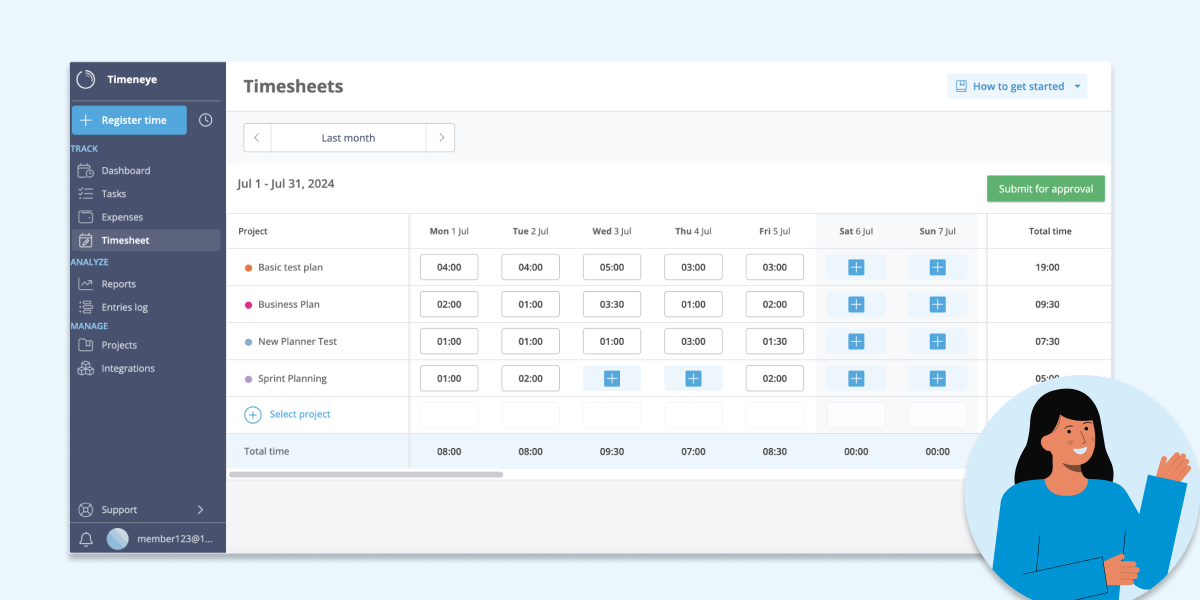
Meet an employee-friendly time tracking tool: Timeneye
An employee-friendly time tracking system should focus on:
- Simplicity over complexity
- Transparency over micromanagement
- Consistency over perfection
That's why we built Timeneye. We created it to help teams track time effortlessly, and we use it internally every day, staying true to our values of accountability and transparency. We built it particularly to help teams working within the Microsoft ecosystem.
By integrating directly with tools employees already use, such as Microsoft Teams, Outlook Calendar, Microsoft Planner, and Azure DevOps, time tracking becomes part of the workflow rather than an extra task. In addition, the Timeneye- Power BI connector gives managers the tool they need to analyse productivity, not just track it.
Conclusion
Fair time tracking is a shared responsibility.
By following these employee time tracking best practices, organizations can improve accuracy without increasing pressure, protect employee privacy, and replace friction with shared understanding.
When time tracking is implemented with empathy and intention, it becomes a tool for fairness and a foundation for healthier, more sustainable work.
Start with an effortless, perfectly integrated time tracking tool!
Start your free Timeneye trial today and turn time from your scarcest resource into your most valuable asset.
Time Tracking Best Practices FAQ
What is the best way to track employee hours?
The best method depends on your company size, goals, and reporting needs. Common options include:
- Spreadsheets
Simple and inexpensive. Easy to start with, but difficult to manage, scale, and audit as teams grow. - Clock-in / Clock-out Systems
Useful for tracking attendance and shift-based work. Limited insights into productivity, project allocation, or task-level reporting. - Time Tracking Software
Tracks time by project, task, or client. Provides reporting, analytics, productivity insights, and approval workflows. Best suited for growing or distributed teams.
Are timesheets considered micromanagement?
Timesheets are not inherently micromanagement.
They become micromanagement when:
- Managers monitor every minute of activity.
- Time data is used to control rather than support employees.
Time tracking is beneficial when:
- It focuses on outcomes over time.
- It improves visibility into workloads.
- It supports planning, billing, forecasting, and productivity insights.
The intent behind implementation determines whether it feels supportive or controlling.
What is an employee time tracking policy?
What is an employee time tracking policy?
An employee time tracking policy is a set of guidelines that defines expectations for recording and submitting work hours.
A clear policy typically specifies:
- Submission frequency
- Weekly
- Biweekly
- Monthly
- Level of detail required
- Project
- Task
- Client
- Notes or attachments
- Approval process
- Who reviews timesheets
- Who approves them
- Deadlines for review
A well-defined policy ensures consistency, accountability, and accurate reporting across teams.
Ready to streamline time tracking?
Start with a free 14-day trial