.png)
Do you struggle to track time? Here are some personal productivity tips
In the hustle and bustle of daily work, it can be hard to stay focused and productive. Notifications, interruptions, meetings, “last minute requests”… I’m sure you’ve encountered one of these today alone to disrupt your focus. But you’re still required to log work hours, and that necessarily ends up on the bottom of your list.
There are plenty of productivity hacks out there, but they don’t work for every individual. If you’re looking for a way to gain clarity over your day, rethink priorities, and set better boundaries, your time tracking tool can actually help.
When you shift your perspective, logging hours becomes less about control and more about awareness. And awareness is the first step toward improving productivity.
Step 1: Rethink time tracking
We know you’re probably not a fan of filling out timesheets every week or month, but try not to see it as just an obligation.
Tracking your time is not just about counting hours at the end of the day. At its core, it’s about creating clarity between you and your team, you and your manager, and most importantly, you and yourself. When you understand where your time goes, you gain valuable insights into how to optimize your day: you might notice that interruptions are more frequent than you thought, or you might discover that small tasks are eating up a large portion of your day, and so on.
This awareness allows you to make better decisions, not just about how you work, but about how you plan your day.
Step 2: Track time every day (if you can)
One of the biggest issues with timesheets is backfilling. Many people leave this task until the last minute and then try to reconstruct their work from memory. Managers don’t like this because it’s inaccurate, but it also doesn’t benefit you, since it’s prone to errors that can backfire.
Most importantly, when your tracking is based on guesswork, you lose the opportunity to learn from it.
That’s why you need to make time tracking part of your daily routine. When you log hours consistently, your memory is fresh, your entries are more accurate, and submitting timesheets becomes a simple review instead of a stressful task.
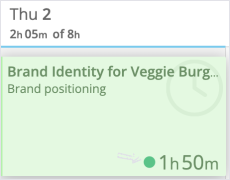
Even better: use timers that track your work in real time while you’re actually doing it. Timers remove the need to remember altogether. You start tracking when you begin a task and stop when you finish. It’s simple, precise, and requires less mental effort.
Step 3: Set reminders and notifications
Building a habit takes effort, and most importantly, consistency.
Let technology help you. If your company’s time tracking system offers automated reminders, use them. They can nudge you to stay on track without relying on memory alone.
You can also create recurring calendar events (for example, in Outlook Calendar or Google Calendar you can create a recurring event called “Time entries check”) to block time specifically for time tracking. Or, if you prefer something simpler, use low-tech solutions like sticky notes on your desk.
The goal isn’t perfection: it’s consistency.
Step 4: Connect integrations to the tools you already use
If your work involves juggling multiple tools, tabs, and platforms, you’re not alone. The good news is that many time tracking tools integrate with the software you already use for a seamless, less disruptive experience.
In most cases, integration setup is simple: all you need to do is install a browser extension, or add app on your phone, or install a desktop app. It may seem like a small step, but it can save you a significant amount of time by reducing constant tab switching.
Step 5: Organize your day using your time data
Once you start logging work hours consistently, that’s when things will start to change. You’ll quickly gain insights into how your day, your week, your month is actually spent.
You’ll see:
- How much time each task takes
- Which activities consume most of your day
- What takes more (ore less!) time than expected
- Patterns (such as certain projects or clients constantly adding urgent work)
This information allows you to take action.
You can use this awareness to organize your day more realistically, schedule deep work during your most productive hours, decide what to delegate, set clearer boundaries with your team and recognize when to ask your manager for support.
A people-friendly example of time tracking: Track
To show how this works in practice, here’s an example from our time tracking tool, Track. We built it with real users in mind (starting with our own team!) to make time tracking less of a chore.
There are many time tracking tools for teams available, and each approaches usability differently. Here’s how Track supports productivity:
- Time tracking starts with a single click, with a clear and visual dashboard showing all time entries. This helps users fill their time with minimal effort;
- Integrations connect easily with other tools you already use, reducing the need for constant switching;
- A bar on the side offers visual reports (pie charts, progress bars, and summaries) to give you a quick overview of how your time is distributed;
- Notifications and email reminders help you stay consistent and avoid forgetting to track time
.png?width=1442&height=705&name=timeneye%20dashboard%20(5).png)